Warehouse Data Import, Export, and API Access
Bring data in, move it out, and connect other systems without turning warehouse updates into spreadsheet cleanup.
Bulk Imports for Warehouse Data
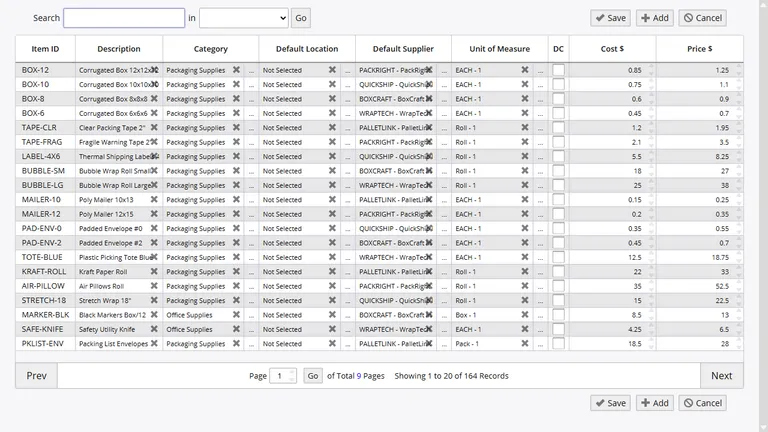
InventoryPro uses one import flow for many record types, so your team does not need to learn a different tool for every data load. Upload the file, validate the rows, review the result, and commit the records you want to keep.
- Templates are available for CSV, XLS, and XLSX uploads
- Validation catches bad rows before they pollute warehouse data
- Import history logs the user, time, and record counts for each load
Master Records
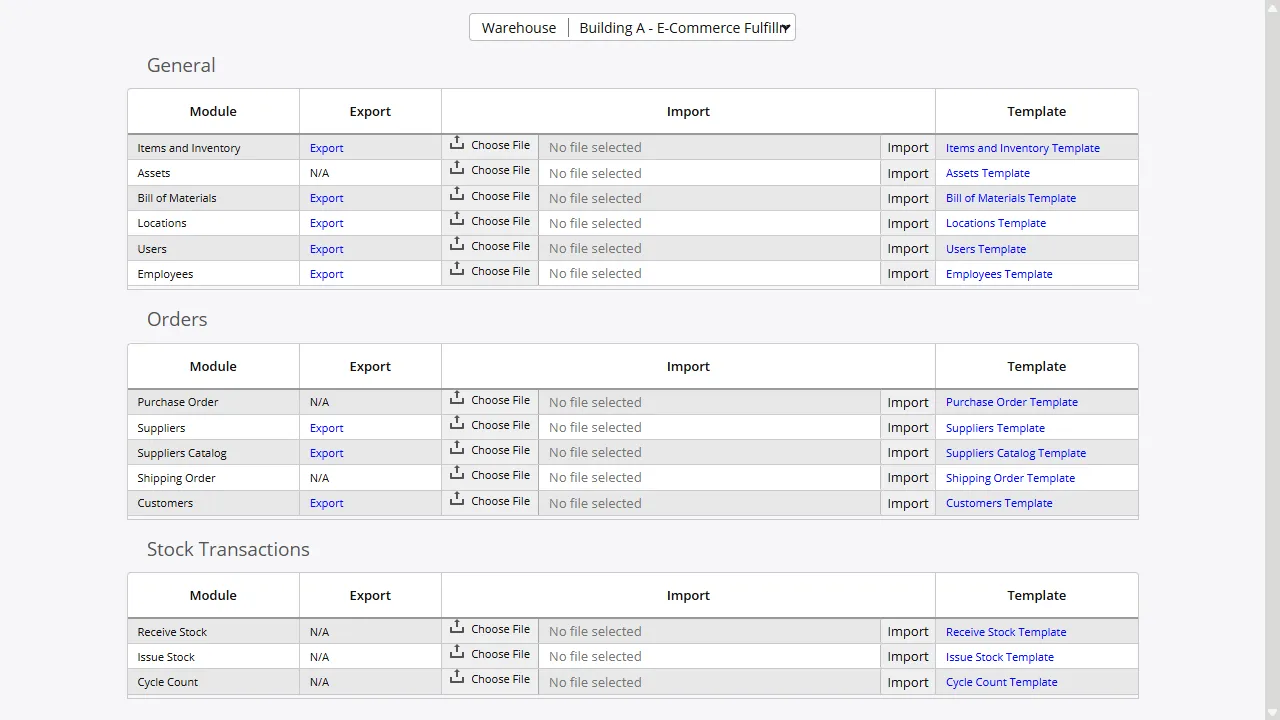
- Item master records and starting stock balances
- Assets with serial, supplier, location, and cost details
- BOM and kitting structures
- Warehouse bins and locations
- Supplier and customer master records
- Catalog pricing and vendor part data
- User and employee records
Orders and Transactions
- Purchase orders and quick PO uploads
- Shipping orders
- Issue transactions
- Receipt transactions
- Transfer and in-transit records
- Cycle count uploads
Exports and Ready-Made Templates
Templates do more than help with imports. They also give your team a clean way to pull data out, review it in Excel, make corrections, and load it back in without rebuilding column headers or formats every time.
Beyond templates, every standard report can export to an Excel-friendly file. That makes it easy to hand warehouse summaries to finance, planners, or outside teams that still work from spreadsheets.
API and Connected Systems
When flat files are not enough, the REST API gives other business systems direct access to inventory, order, and warehouse data. That supports live integrations with online stores, accounting tools, partner systems, and custom business apps.
Pre-built connections are available for Sage 50, QuickBooks, UPS WorldShip, WooCommerce, Active Directory, Okta, and SSO options. EDI X12 is available as a managed setup for trading-partner workflows.
Validation, Permissions, and Import Logs
Import rights are permission controlled, so only the right users can load data into the system. Every import run records the file, user, timestamp, and row outcome, which gives managers a clear trail when they need to trace a change back to its source.
Bring Existing Data Into Inventory Pro
Load item masters, open orders, counts, and partner data into your cloud WMS without turning go-live week into spreadsheet chaos.