Cloud Inventory Tracking Software
Keep stock visible across warehouses, bins, and mobile devices with live quantities and clear transaction history.
Live Stock Visibility Across Locations
Every posted transaction updates inventory right away. If one team is receiving stock while another is shipping from a different warehouse, everyone still sees the same numbers.
- No waiting for a nightly sync before quantities make sense
- Desktop and mobile screens read from the same live inventory record
- Multi-location teams can work from one cloud account without separate exports
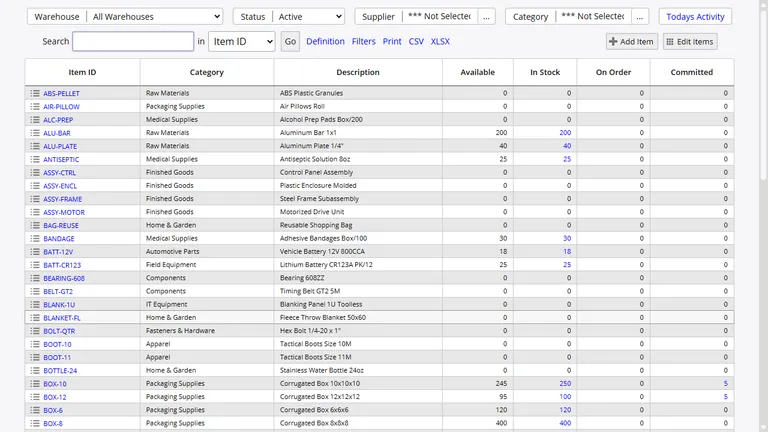
That shared view helps warehouse staff, buyers, and managers work from the same inventory record instead of passing around old spreadsheets.
Receiving, Issuing, Moving, and Adjusting Stock
Inventory Pro covers the day-to-day moves that change stock levels. Receiving can start from purchase orders, appointments, direct adjustments, or imports. Issues can support shipment fulfillment, work orders, supplier returns, and other outbound activity.
Transactions can be staged before posting so staff can review lines and quantities before they hit inventory. That keeps bigger receipts, issues, and moves from turning into avoidable mistakes.
Receive Stock
Post receipts from purchase orders, direct adjustments, appointments, and bulk imports.
Issue Stock
Support shipments, material usage, returns, and controlled negative adjustments with reason tracking.
Move and Transfer
Relocate stock within a warehouse or send it to another site with full visibility on the move.
Serial, Lot, Batch, and Expiration Control
For teams that need item-level traceability, Inventory Pro can enforce serial uniqueness by system, item, or location. Lot and batch values can follow related stock together, while expiration dates guide FEFO picking.
The system also supports secondary serials and RFID identifiers when one trackable item needs more than a single reference.
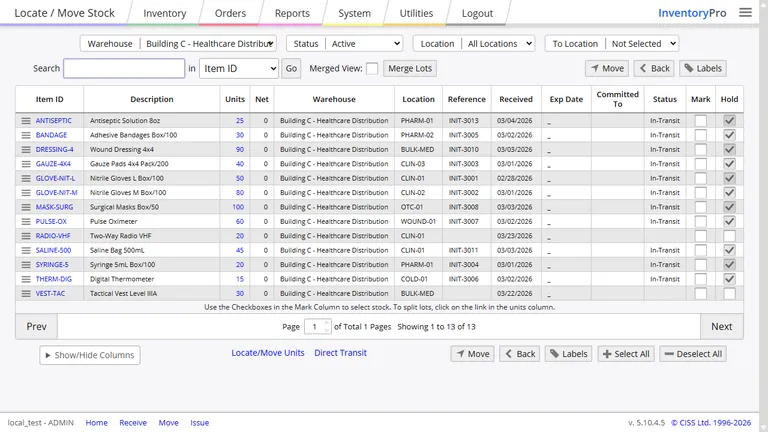
Every serial and lot movement stays attached to transaction history, which makes recalls, investigations, and order lookups much easier.
Cycle Counts Without Shutting Down The Warehouse
Cycle counting lets teams check inventory on a schedule that fits the way they work. Inventory Pro supports desktop and mobile counting, with live variance review and approval routing when a count is outside expectations.
Counting Methods
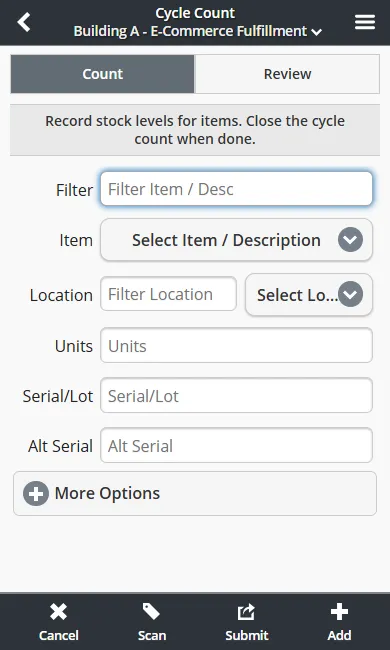
When a variance needs review, approvals can send it to a supervisor before the system posts the correction. Overages and shortages still create a full history of what changed.
Reorder Planning Based On Live Demand
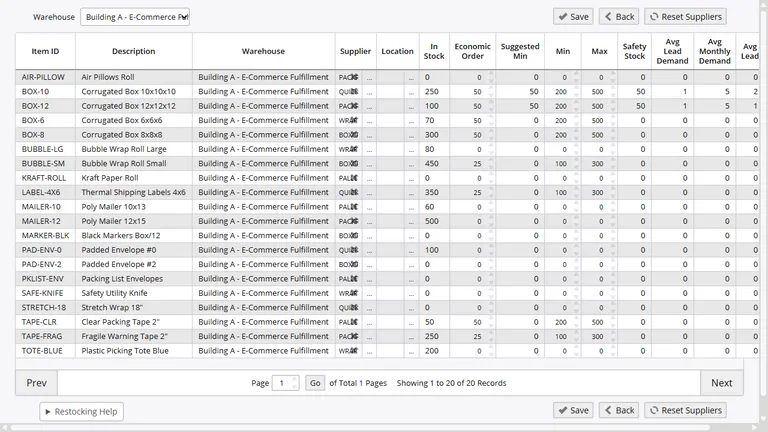
Inventory Pro watches min and max levels, lead times, order demand, and usage history so teams can spot replenishment needs before stock runs out.
- Build purchase orders when quantities drop below target levels
- Include open work and future demand when calculating needs
- Adjust reorder targets with real usage history instead of guesswork
Transaction History You Can Actually Use
Each inventory change records the user, time, reason, reference, and line detail behind it. That makes it easier to answer why a quantity changed and what happened before and after the update.
Change Tracking
See updates to item records, costs, and attributes with before-and-after values.
Rollback Reports
Rebuild inventory balances at a past point in time for financial review or investigation work.
That history helps teams trace corrections, answer customer questions, and review count issues without digging through separate systems.
Track Stock With A Clear Live View
Give every warehouse and office team the same current inventory record, from receiving through replenishment.