Equipment Checkout and Return Tracking
Track who has which equipment, when it left, when it came back, and what still needs follow-up.
Checkout Records for Equipment and Stock
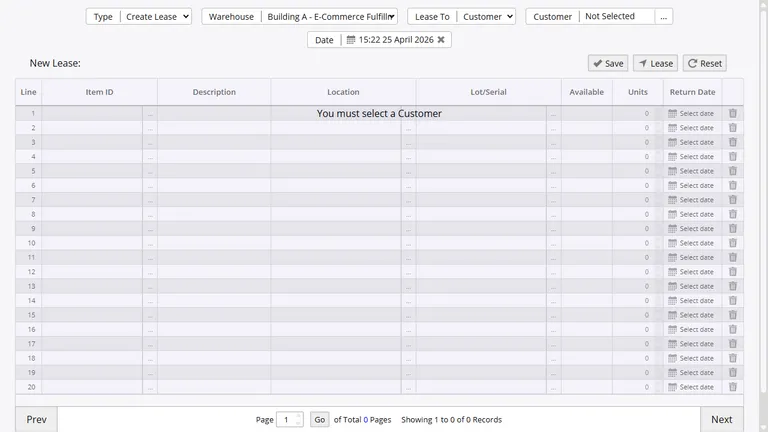
Inventory Pro records temporary equipment moves without losing sight of where the item went. Each checkout keeps the item, recipient, warehouse, and dates tied together until the stock comes back.
- Issue equipment to field staff, departments, or job sites
- Track rentals, loaners, and customer checkouts in the same system
- Report internal and customer activity separately
Returns and Partial Returns
When stock comes back, the return entry closes the loop on the original checkout. You can receive the full quantity back at once or log partial returns over time, which is useful when equipment comes back in stages from a job or rental.
Open checkout reports can be filtered by employee, customer, warehouse, and date range, so overdue equipment is easy to spot before it disappears into email threads.
Printable Lease Records
Each checkout can print a slip with the items, quantities, recipient, date, and source warehouse. Teams use these slips for handoff confirmation, return matching, and basic chain-of-custody documentation.
Linked to Asset and Inventory History
The checkout module works with the same inventory and asset records your team already uses for receiving, transfers, and counts. That means leased quantities stay visible in stock, and serialized assets carry a full history of where they were sent and when they returned.
Replace Manual Checkout Logs
Use the same cloud system for warehouse stock and borrowed equipment so nothing is lost between spreadsheets, clipboards, and email.