Work Orders, BOMs, and Production Tracking
Keep production, purchasing, and warehouse stock on the same page from raw material issue through finished goods receipt.
Bill of Materials and Assemblies
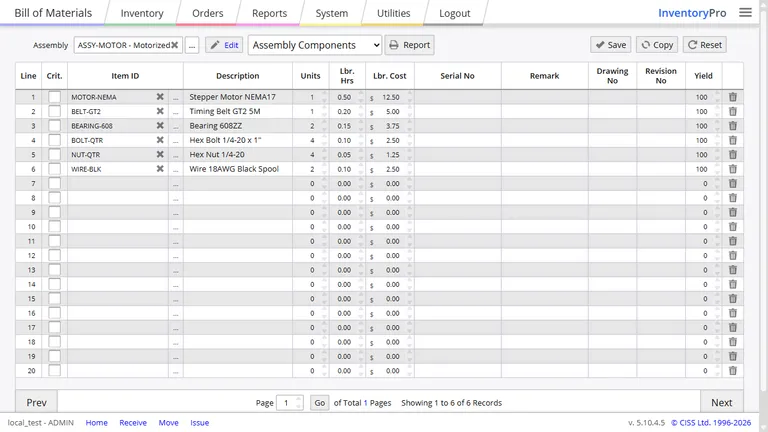
Your BOM defines what goes into the finished item and how much of each component is needed. Inventory Pro uses that structure to load work orders, scale quantities for batch size, and keep assembly planning tied to live stock levels.
- Nested subassemblies can roll into the finished item
- Yield factors can account for expected loss or scrap
- Component demand scales automatically with production quantity
Work Order Stages and Shop Floor Tracking
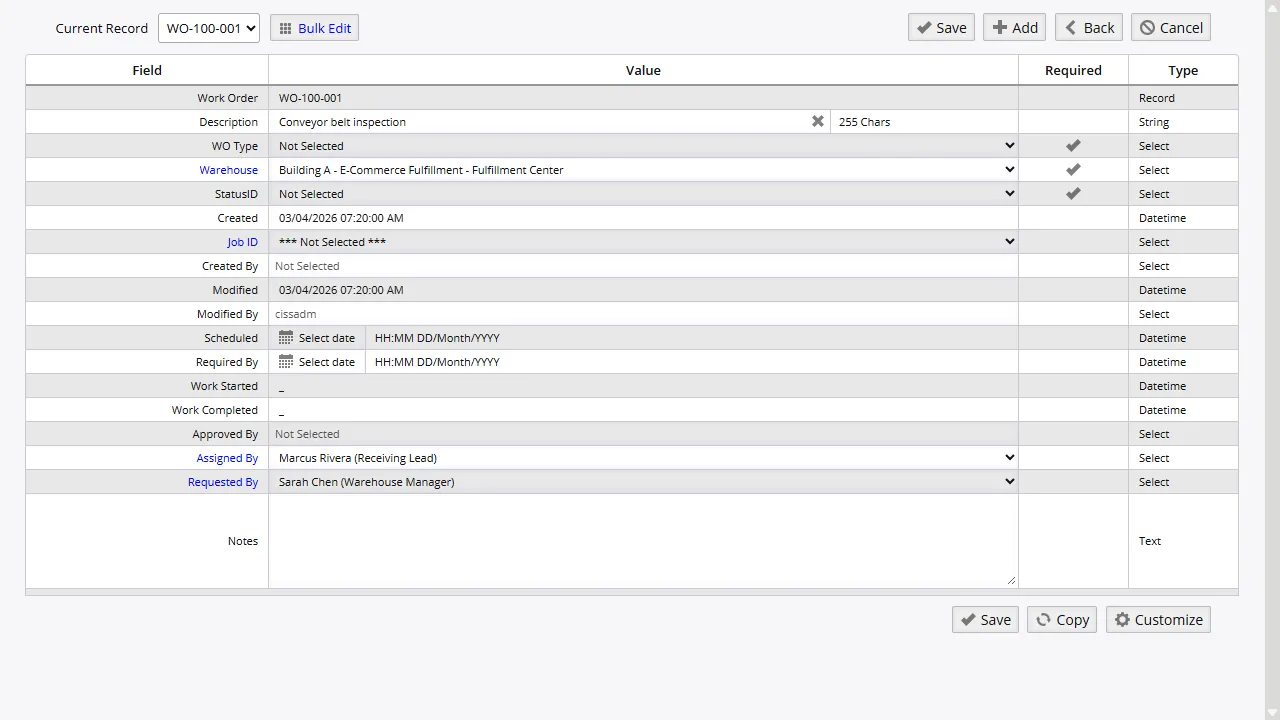
Work orders move from planning to release, execution, completion, and closeout with a clear status trail along the way. That gives planners, buyers, and supervisors one place to see what is waiting, what is running, and what has already been finished.
Assembly processing removes components and receives finished goods in the same step, so inventory counts stay in line with what happened on the floor.
Production Orders
Use full work orders when you need component issue, labor capture, machine time, costs, and serial tracking together.
Assembly Runs
Build kits or finished goods with automatic component consumption and receipt into finished inventory.
Internal Usage
Issue parts for maintenance or internal jobs without forcing them through a finished goods workflow.
Labor and Machine Cost Capture
Material usage only tells part of the story. Inventory Pro work orders also record labor hours and labor rates so each run carries the real cost of the time spent building it.
Machine or equipment time can be logged on the same order with hourly cost values. That gives production leads a better view of what each order really costs and which resources are being used the most.
Jobs and Project Costing
Jobs group together the orders, production activity, and inventory movement tied to a specific project or customer commitment. That makes it easier to see which materials, hours, and purchased parts belong to each job.
When your team runs multiple builds at once, job costing helps keep spending tied to the right order instead of disappearing into a general overhead bucket.
True Landed Cost Visibility
Purchase price alone does not tell you what a built item really costs. Inventory Pro can pull in handling, shipping, storage, and other charges so your team can compare true cost against selling price or internal job value.
Those landed cost details make supplier comparisons and pricing decisions easier because your team is working from the full number, not just the invoice line.
Planning Ahead for Material Needs
Production planning starts with knowing what you already have and what is still missing. Inventory Pro compares current stock, open orders, lead times, and BOM demand so shortages show up before they stop a build.
When demand suggests you are short, buyers can turn that gap into a purchase action instead of waiting until the line is already delayed.
Bring Warehouse and Production Together
Track material demand, work in progress, finished goods, and production cost in one cloud system instead of spreading it across separate tools.