Inventory Reports and Dashboards
Keep inventory, orders, and warehouse activity visible with live dashboards and a large built-in report library.
A Report Library for Daily Warehouse Work
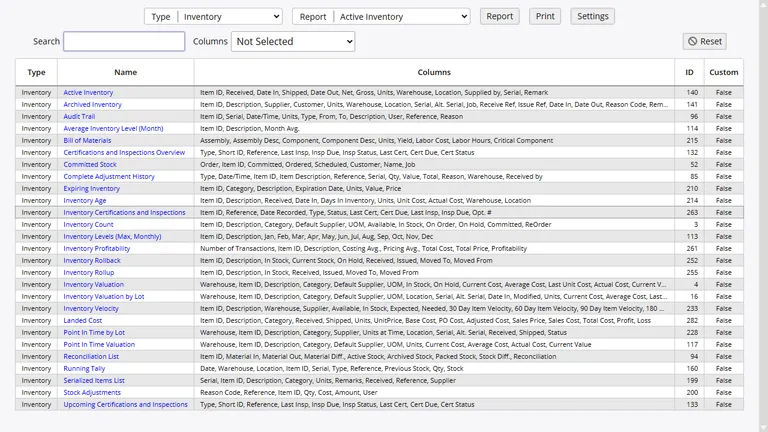
InventoryPro includes more than 260 reports, so teams do not need to build basic inventory and order views from scratch. The library covers stock, receiving, shipping, purchasing, warehouses, assets, customers, suppliers, and system activity.
- Search, sort, and filter tools are built into the report screens
- Permissions control which teams can open each report group
- Every report can be exported to CSV for Excel users
Live Dashboards You Can Check From Anywhere
Dashboards collect key numbers from across the system and refresh as work happens. Managers can watch stock levels, open orders, receiving activity, and fulfillment pace from one browser tab instead of pulling separate reports all day.
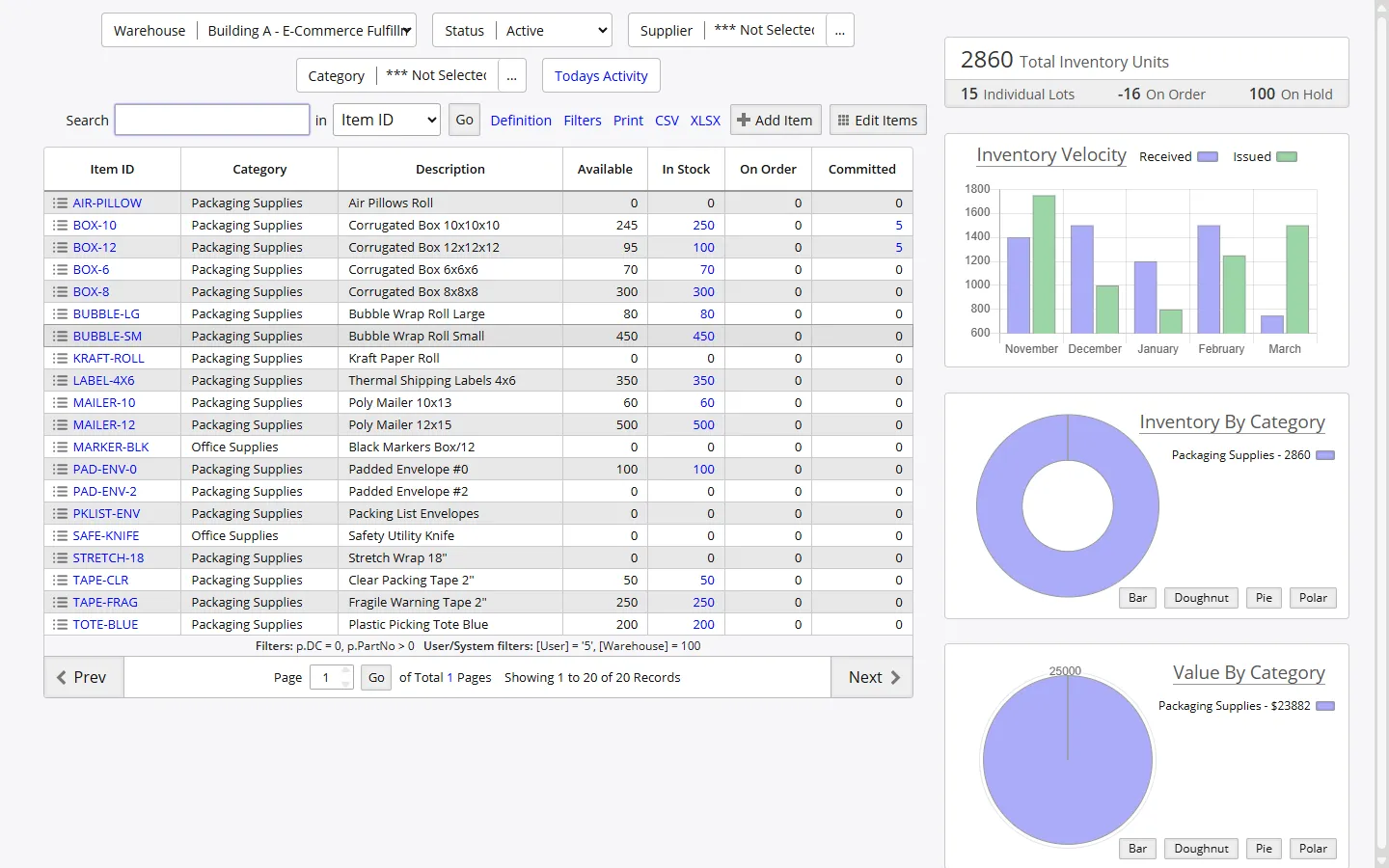
Top movers, low-stock items, pending shipments, and recent receipts stay visible without waiting for an overnight refresh.
Report Views by Team and Task
Reports are grouped by the work people actually do, which makes it easier for warehouse, finance, and management teams to go straight to the right numbers.
Inventory Reports
Check valuation, allocations, historical balances, landed cost, and item movement without leaving the browser.
Order Reports
Follow purchase orders, shipment progress, work orders, and backorders from one reporting group.
Asset Reports
Review asset lists, depreciation schedules, maintenance records, and assignment history.
Warehouse Reports
Measure location usage, transfers, receiving volume, and shipping work by facility.
Financial Reports
See point-in-time values, supplier pricing, cost detail, and billing summaries tied to live inventory data.
Audit Reports
Look up transaction history, user activity, count variances, and record changes when something needs review.
History, Rollback, and Change Details
Every transaction in InventoryPro carries a timestamp, user, reason, reference, and line detail. That makes it easier to answer basic warehouse questions like who changed a quantity, when a transfer posted, or what an item balance looked like last month.
Rollback reports rebuild historical inventory positions, while change tracking extends to item records, cost changes, and setup updates. The result is a cleaner trail for audits, reconciliations, and internal review.
Custom Reports Without Starting From Zero
Teams can copy a standard report and adjust the columns, widths, filters, and sort order to fit how they work. Custom versions are marked so they do not get replaced during updates.
Report definitions can also use SQL with context values such as warehouse, vendor, customer, and date. URL links inside reports make it easy to jump from a result row into the related record.
Scheduled Emails and Automatic Alerts
Inventory Pro can watch for low stock, status changes, receipt activity, and other events, then send email to the right people. Scheduled report delivery handles recurring management packs without manual export work.
That is useful for distributed teams because everyone gets the same update at the same time, even if they are not logged in when the warehouse is busy.
Keep Your Numbers Close To The Work
Review live dashboards, send reports by email, and give every manager the current picture without waiting on manual updates.